When uploading a release, you can enter the Artist IDs for Spotify, Apple Music, and Facebook to ensure your content is linked to the correct artist profiles.
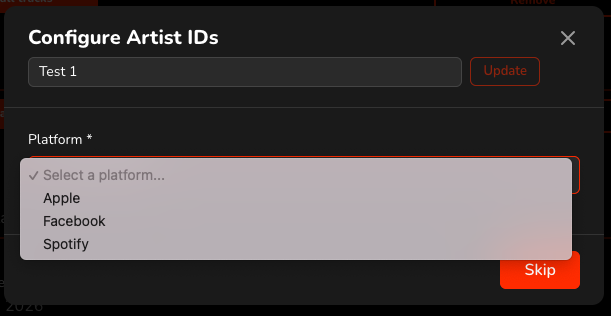
If you are adding an artist for the first time, a pop-up window will appear. First, select the DSP, then choose the correct artist from the automatically generated list.
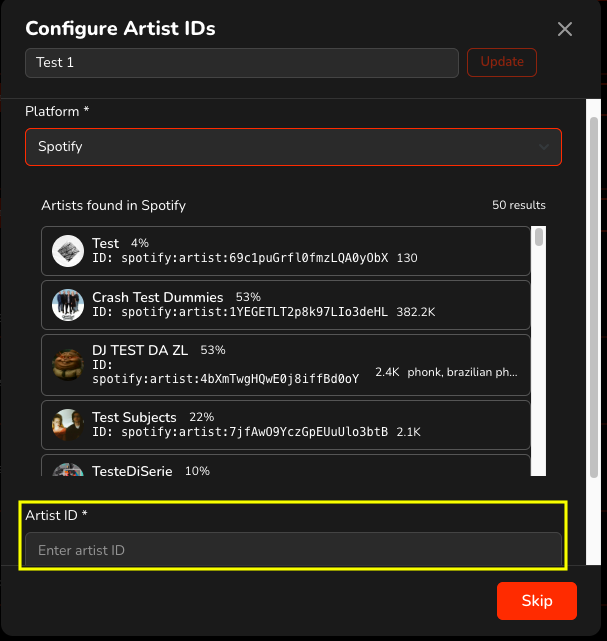
If you don’t see your profile in the list, you can copy the Artist ID directly from the DSP and paste it into the “Artist ID” field.
If you need to create a new artist profile, simply leave all ID fields empty and request profile creation by emailing us at support@audiomaze.com
You can also add or edit Artist IDs at any time from the Artists section by searching for the relevant artist and updating their IDs.